How to tell if a photo is actually sharp (and why software often gets it wrong)
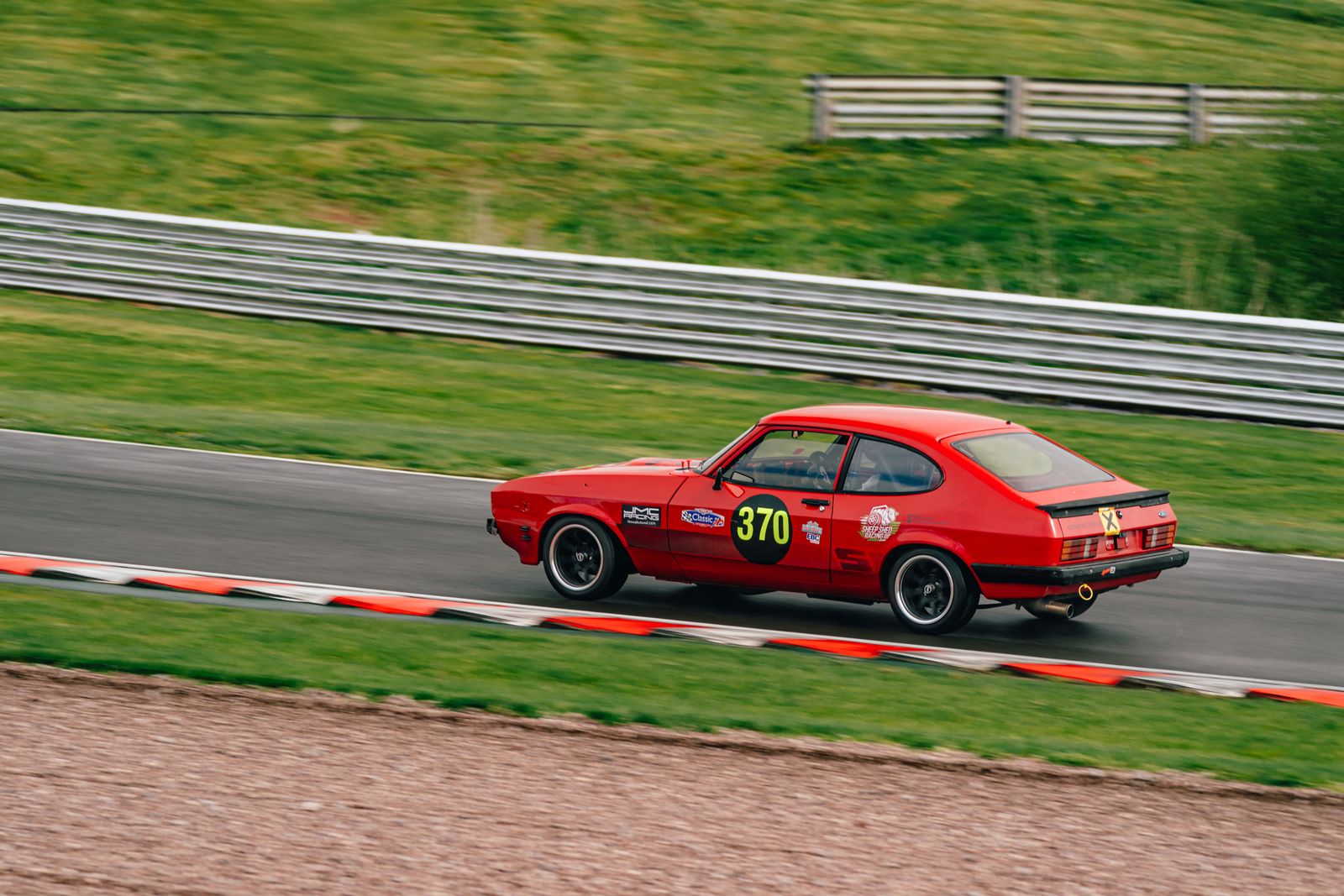
“Is it sharp?” sounds like a question with one answer. It isn’t. A photograph can be sharp in the wrong place, sharp overall but soft where it counts, or almost entirely unsharp and still be the best frame on the card. Getting this distinction right is most of what fast culling depends on.
Sharp where it matters, not sharp everywhere
Every subject has a region that decides the frame:
- Portraits: the near eye. Everything else can fall away.
- Cars, static: the near headlight, the badge, the front wheel arch.
- Cars, moving: the car, while the background streaks.
- Interiors: the whole room, front to back — here whole-frame sharpness genuinely is the test.
- Detail shots: the one thing you focused on, and nothing else matters.
A frame with a sharp gravel foreground and a soft badge is a reject. A frame with a sharp badge and a soft rear bumper is usually a keeper. An overall sharpness score rates the first higher than the second, which is exactly backwards.
Checking properly, at speed
- Look at 100%, not fit-to-screen. At thumbnail size almost everything looks sharp. This is the single most common culling mistake, and it's why people discover soft frames after delivery.
- Zoom to the region that decides it. The eye, the badge, the near wheel. Not the middle of the frame — the thing that matters.
- Compare within the burst, not against an ideal. The question is which of these eight is sharpest, not whether this one is perfect.
- Distinguish the three failure modes. Missed focus (something else in the frame is sharp), camera shake (everything is smeared the same direction), and subject movement (the subject smeared, background fine). Only the last is sometimes desirable.
- Judge against the output size. A frame too soft for a two-metre print is often perfectly good for a listing thumbnail. Don't reject for a use case that isn't happening.
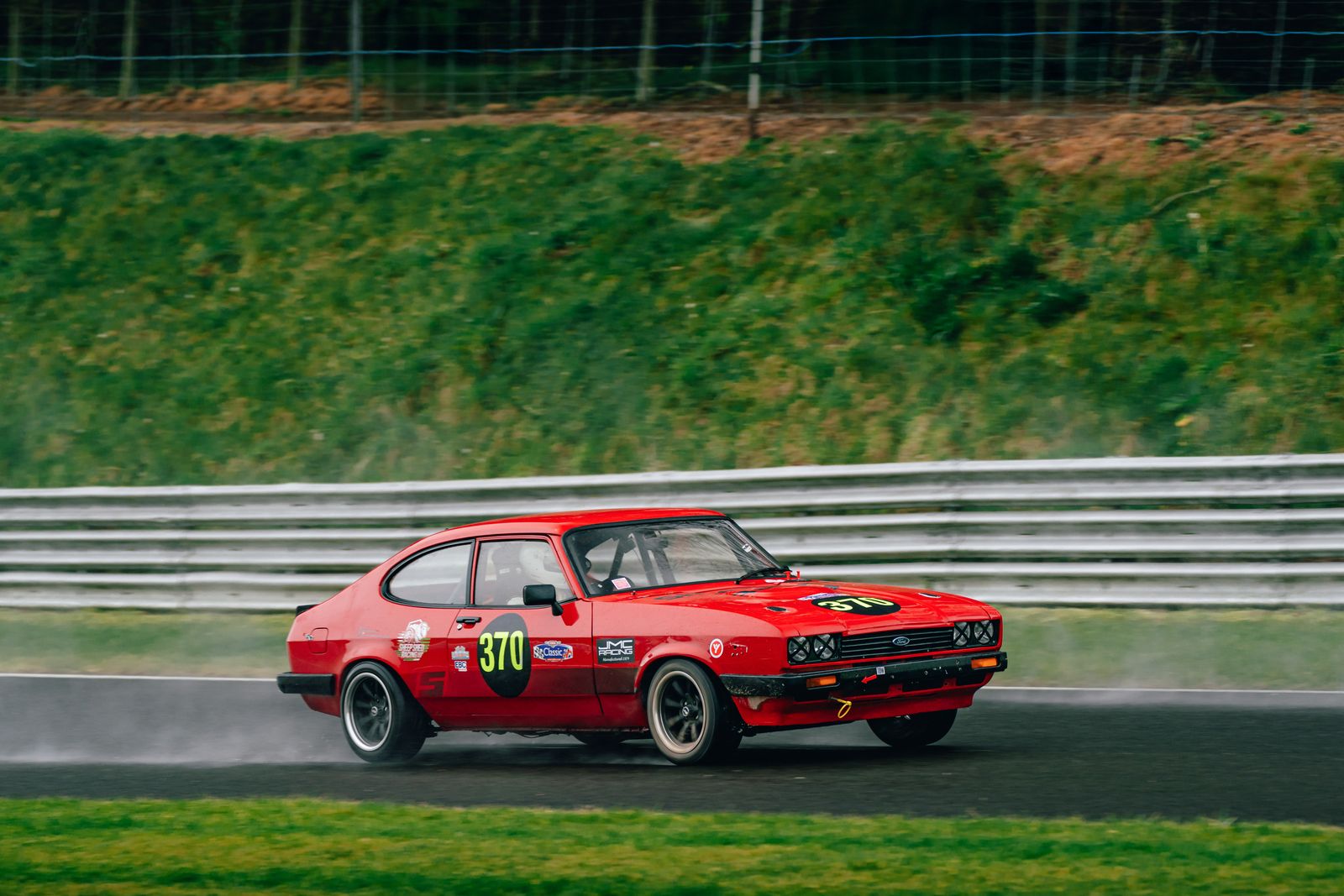
Why culling software gets this wrong
The straightforward way to score sharpness is to measure detail or edge contrast across the whole image. It’s fast, it’s easy, and it works acceptably on static subjects filling the frame — which describes a great deal of wedding and portrait work, where most of these tools were developed.
It falls apart on:
- Panning shots, where the intentional background blur drags the score down and rewards your worst pans.
- Shallow depth of field, where a deliberately soft background is the aesthetic.
- Small subjects in big frames — a distant car on a wide circuit shot barely moves a whole-frame number.
- Busy foregrounds. Sharp gravel or catch fencing in front of a soft subject scores well and shouldn't.
This is why photographers try AI culling once on a motorsport or wildlife set, watch it bin their best frames, and conclude the technology doesn’t work. The technology worked. It answered “is this image detailed?” when the question was “is the subject sharp?”
What to look for instead
Sharpness scoring that locates the subject first and measures within it, so the comparison is subject-versus-subject. Done properly, a strong pan has a characteristic signature — high detail inside the subject, low detail outside it — and that contrast is a positive signal rather than a penalty.
That’s the approach Vantage takes, because motorsport was the case I needed it for first, and it’s the case that breaks the naive version most obviously.
See how it judges your frames
Run a folder from a real shoot through it — ideally your hardest one. Free to start, and it’s in beta, so tell me when it gets one wrong.
Download Vantage On motorsport cullingCommon questions
How do I check if a photo is sharp?
Zoom to 100% and look at the region that decides the frame — the near eye on a portrait, the badge or near wheel on a car. At fit-to-screen size almost everything looks sharp, which is why soft frames get discovered after delivery.
Why does AI culling reject my sharp photos?
Most tools score detail across the whole frame. On a panning shot or a shallow depth-of-field portrait, most of the image is deliberately soft, so the frame scores badly while your worst attempts score well.
What's the difference between missed focus and camera shake?
With missed focus, something else in the frame is sharp. With camera shake, everything is smeared in the same direction. With subject movement, the subject is smeared and the background is fine — and that one is sometimes exactly what you wanted.