AI photo culling for Mac and Windows
You shoot. Vantage sorts the rest.
It culls the whole card in minutes, picks the best of every burst, edits the keepers and sends the client a gallery.
Scroll
Every job starts the same way.
A car, a camera and a few hundred frames.
Click.
0001 frames on the card
Then the sorting starts.
Copy the card over and Vantage takes it from there.
Cull
It scores every frame for focus, exposure and framing, groups the bursts and sorts the shoot into keep, maybe and cut.
- 256 RAWs in, 95 keepers out (a real shoot)
- 17 frames of one angle down to the sharpest
Pick
Only look at what matters. The best of each burst comes first; keep with K, reject with R.
- Why this photo shown for every verdict
- Similar shots side by side
Edit
One look across every keeper, then adjust the odd frame.
- AI edit all with a strength slider
- Crop, straighten and blur plates and faces
Upload
A private gallery the client can browse and download from, or the files exported your way.
- Password and expiry built in
- Lightroom sidecars or a listing set
Try it on your next shoot.
Fourteen days free, no card.
How it works
From the card to the client in four steps
-
01
Cull
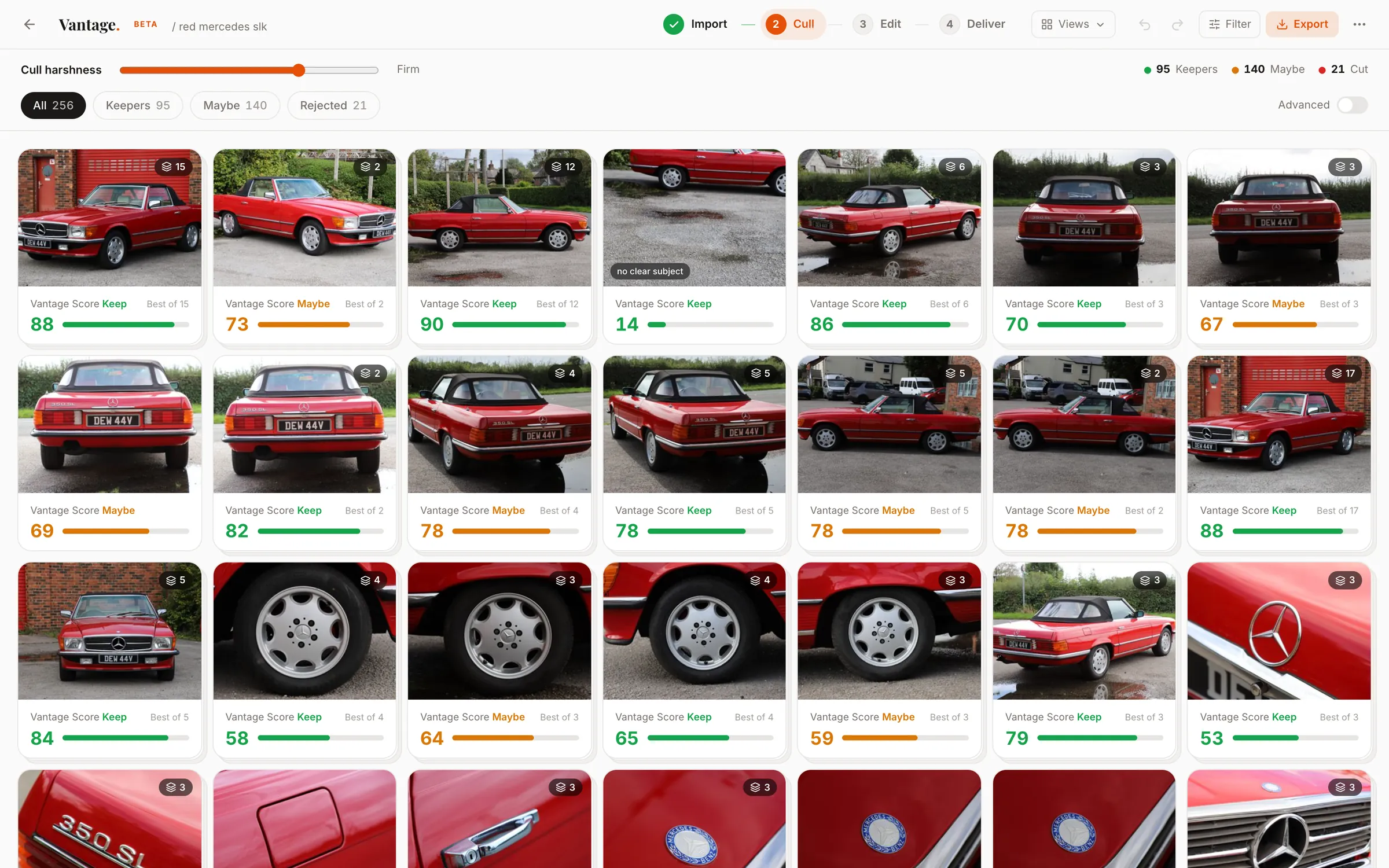
Point it at the folder. It scores every frame for focus, exposure and framing, groups the bursts and sorts the shoot into keep, maybe and cut.
- 256 RAWs in from a real 350 SL shoot
- 95 keepers found in minutes
- 17 frames of one angle down to the sharpest
-
02
Pick
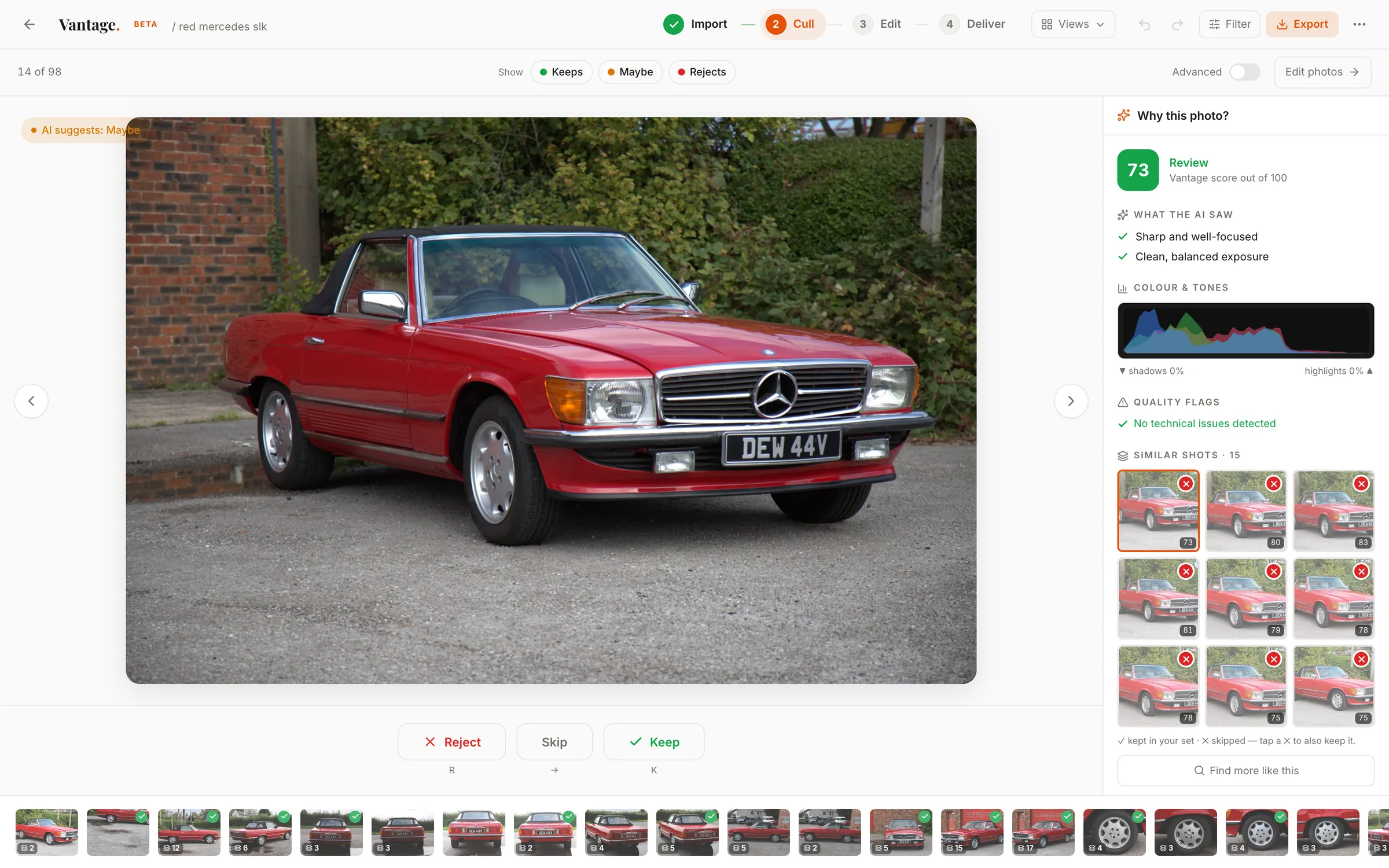
Only look at what matters. The best of each burst comes first; keep with K, reject with R, and it moves on.
- Why this photo shown for every verdict
- Similar shots side by side, one tap to swap
- One slider for how hard it cuts
-
03
Edit
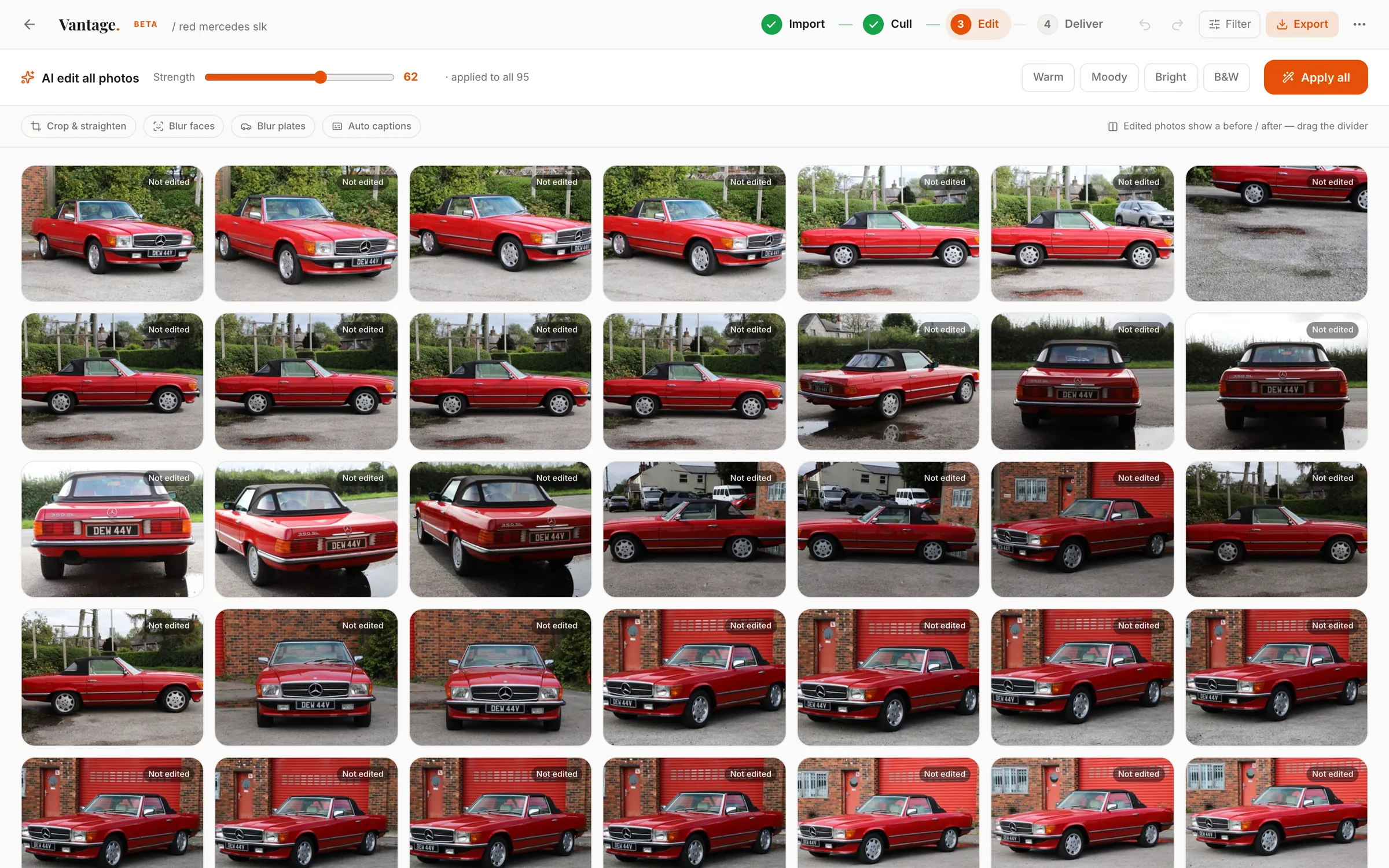
Put one look across every keeper, then adjust the odd frame.
- AI edit all with a strength slider
- Warm, Moody, Bright, B&W looks
- Crop, straighten and blur plates and faces
-
04
Upload
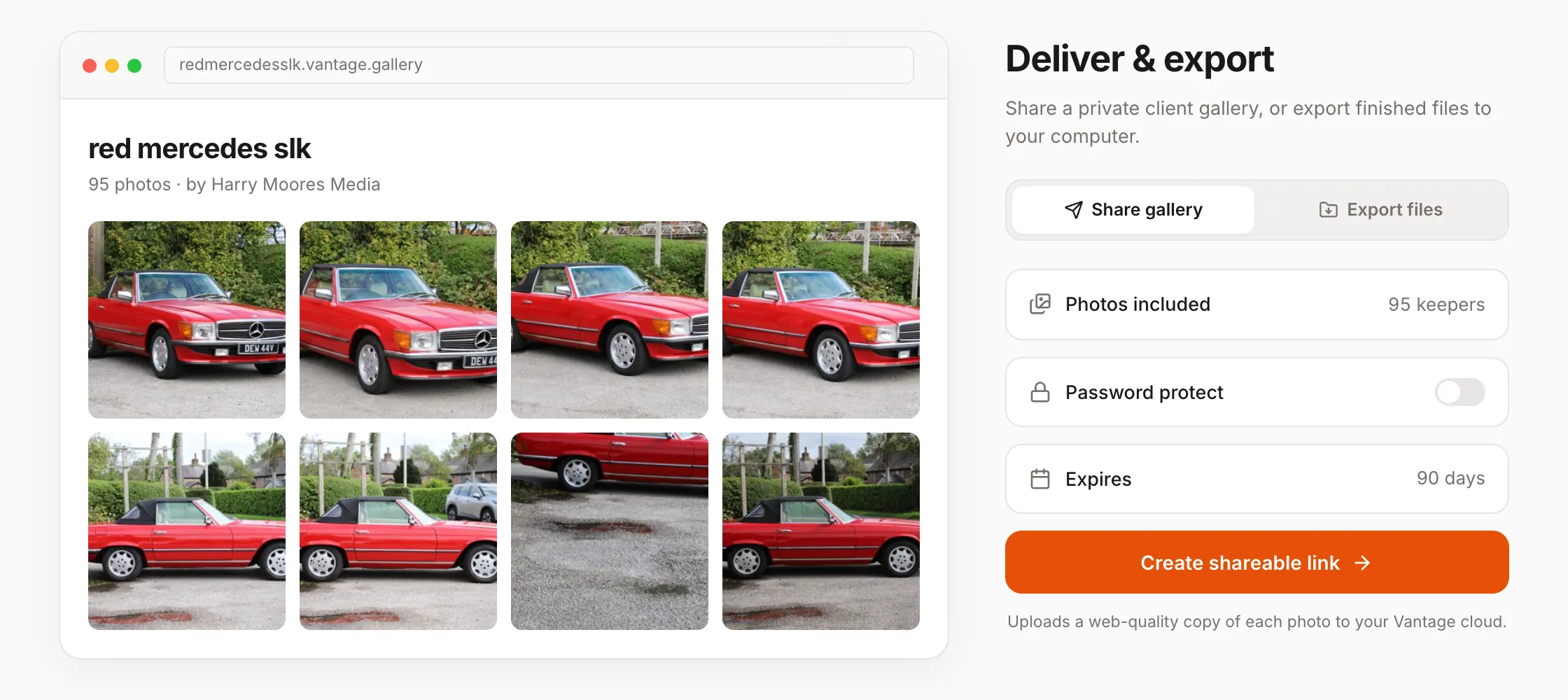
Send a private gallery the client can browse and download from, or export the files.
- Password and expiry built in
- Lightroom sidecars or a plain folder
- A listing set with the hero shot first
Built by a working car photographer
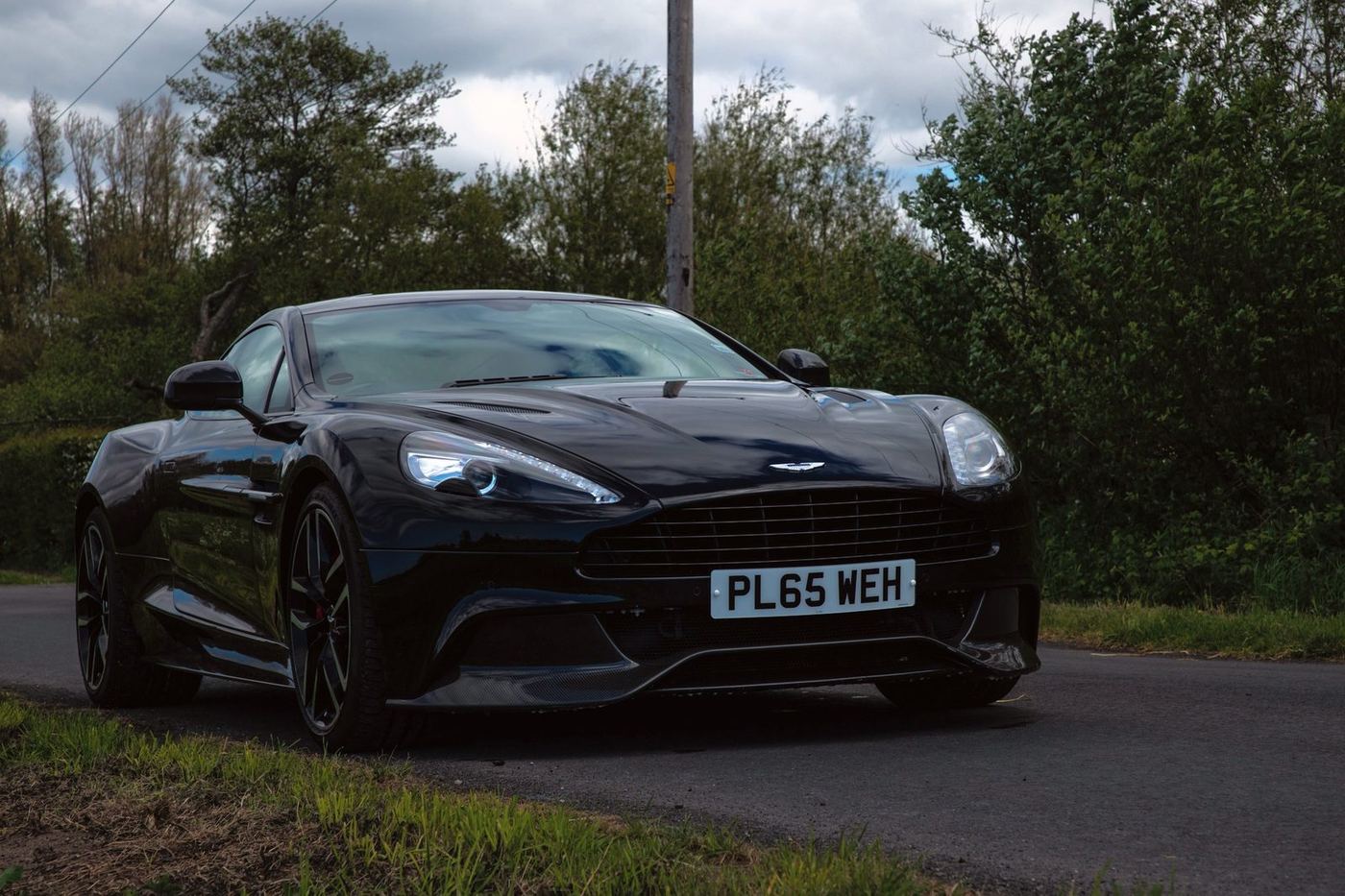
I shoot classic cars for sellers and dealers, 250 to 550 frames a car. Vantage is the tool I built because nothing else understood a walkaround. It knows a front three-quarter from a rear, groups every angle, checks you got the shots a listing needs, and blurs plates on the way out. It works on weddings, events and property too.
Harry Moores, Harry Moores Media
One plan, everything in it
Early-days price. It goes up later; sign up now and you keep £8.99 for as long as you stay.
- Unlimited shoots, RAW and JPEG
- Culling, bursts and review
- AI edit, plate and face blur
- Lightroom export
- Client galleries
- 2.5 GB cloud storage
No card to start. When the trial ends the app asks if you want to subscribe; if not, nothing is charged.
Extra storage, only if you need it
For full-size backups and big client galleries. Add or change it any time from your account.
Questions people ask
Does it replace my judgement?
No. It makes the first pass and you make the decisions. You set how hard it cuts, you look through the groups, and it never deletes anything: exports are copies and your originals are left alone.
How good is it?
On shoots it had never seen, it agrees with a working photographer's keep-or-cut about three times in four. It is best on cars, motorsport and property, because that is what most of its training came from.
What cameras and file types work?
Any RAW your camera shoots, CR2 and CR3, NEF, ARW, RAF, RW2, DNG and more, alongside JPEG and TIFF. No conversion step first.
Is my data safe?
In local mode no photo ever leaves your machine. In cloud mode originals are uploaded only while they are processed, then deleted. They are not kept, not used for training and not shared.
Do I need a powerful computer?
No. It runs comfortably on a modern Mac or PC, and you can process a shoot on a cloud GPU instead when you'd rather not tie up your machine, on the same subscription.
How is it different from Aftershoot or Narrative?
It is told what kind of shoot it is looking at, so a dealership walkaround and a wedding are judged differently. And it carries on past the cull: editing, plate blurring, Lightroom export and the client gallery are in the same app.
Is it finished?
No, and I would rather say so. Vantage is in early access. Culling, grouping, editing and delivery all work and I use it on my own paid jobs, but you will find rough edges. Tell me and they get fixed.
Can I cancel any time?
Yes. Cancel, change storage and find old invoices on your account page. Monthly billing, nothing to tie you in.
Try it on your next shoot
Fourteen days free, no card. Point it at the folder and see what it keeps.