Culling property and drone shoots: rooms, verticals and the EXIF problem
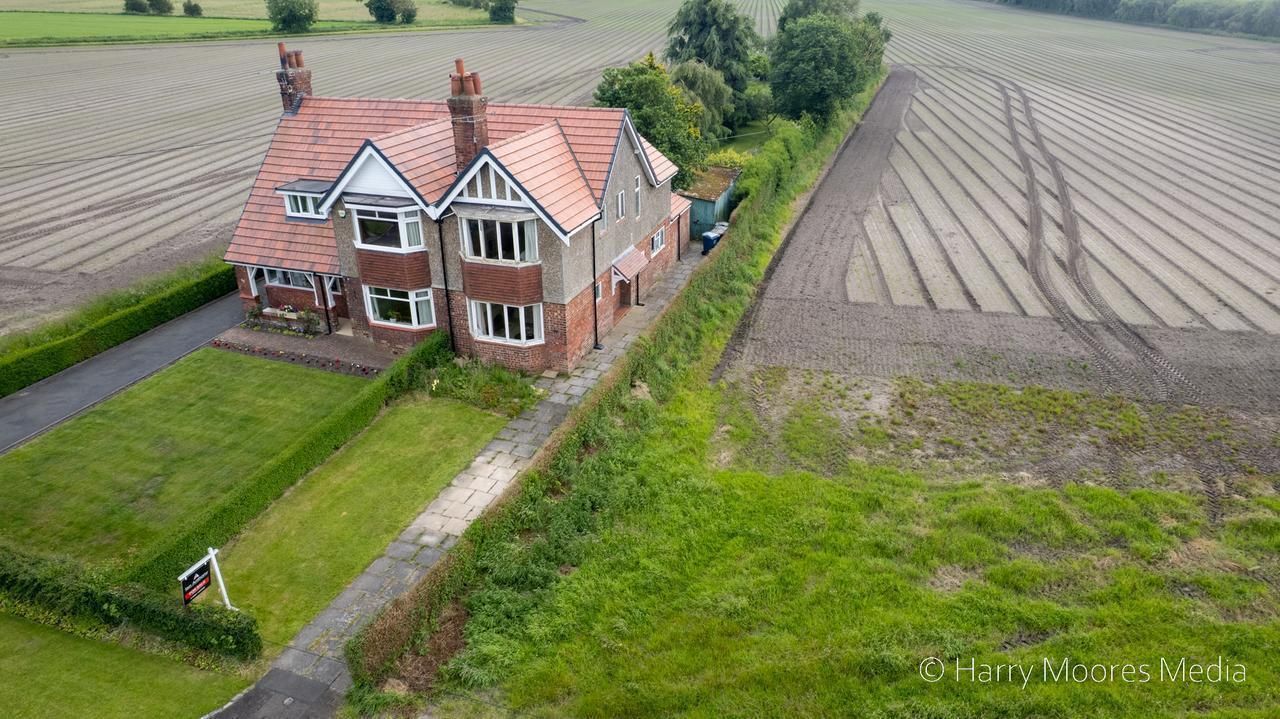
A property shoot is a coverage job. The agent needs every room, the frontage, the garden and — increasingly — an aerial that shows the plot and what surrounds it. What they don’t need is four versions of the kitchen, which is exactly what you’ll have shot, because you bracketed for the window.
What a property cull is actually deciding
- Verticals. A leaning doorframe is the fastest way to make an interior look amateur. Between two otherwise identical frames, the straighter one wins every time.
- Window exposure. Blown-out white rectangles where the garden should be make a room feel like a box. If you bracketed, the cull is choosing which exposure (or blend) holds both the room and the view.
- Coverage, not favourites. One frame per room, every room. A set with three beautiful angles on the living room and nothing of the second bedroom is a failed shoot, however good those three are.
- Tidiness in shot. A bin bag, a stray cable, a toilet seat up. You looked past it on the day; the buyer will not.
- Consistent height and grade. Interiors shot at chest height throughout read as considered. Mixed heights read as a phone snap.
Aerials: the bit nobody mentions
Drone photographs carry GPS coordinates in their EXIF metadata — latitude, longitude, usually altitude, and the time you were there. That’s useful in the field and a genuine problem the moment you hand files over or post them.
You are photographing where somebody lives. Publishing an image with precise coordinates attached, of a house that is about to stand empty during a move, isn’t a theoretical risk. Most social platforms strip metadata on upload, but plenty of agents’ portals, email attachments and cloud folders do not.
Strip EXIF from aerial frames before delivery, or at minimum before anything goes to a public listing. It costs nothing and it protects your client. Keep the coordinates on your own archived originals if they're useful to you — just don't let them leave with the deliverables.
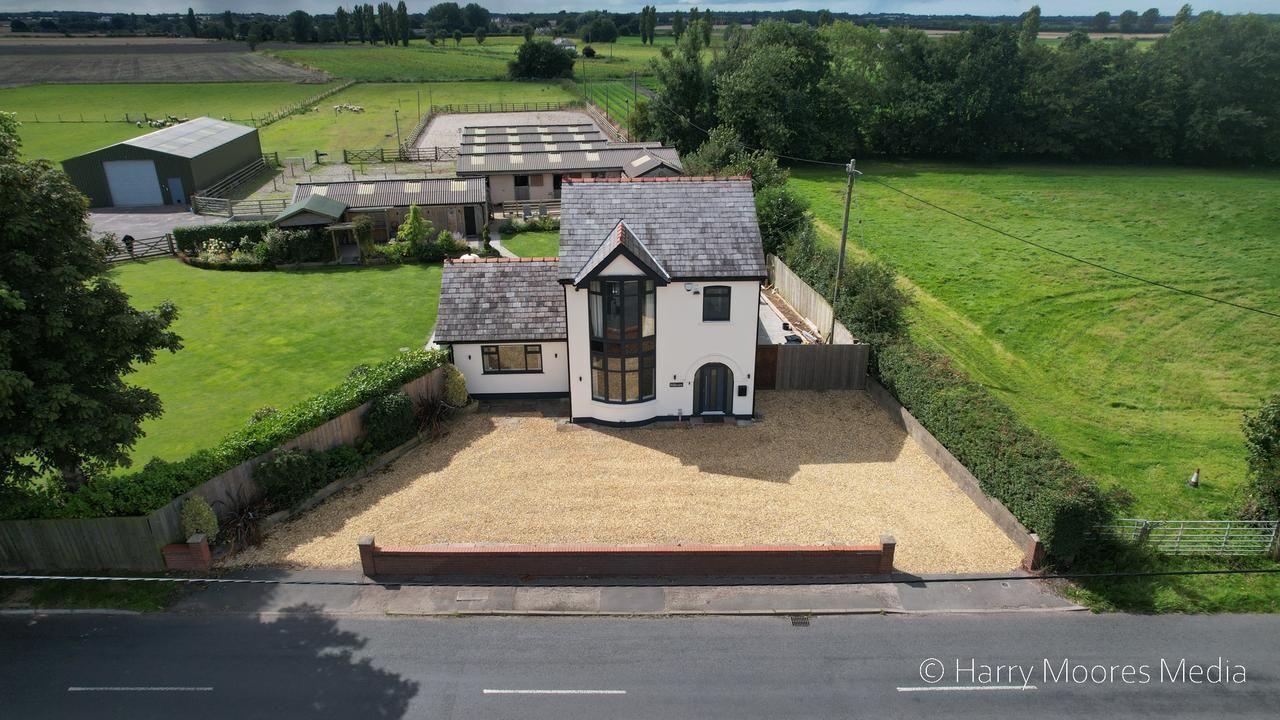
What the agent actually wants
Worth knowing, because it changes what you keep. An estate agent is not building a portfolio — they are filling a portal listing that has a fixed shape and a lead image that decides whether anyone clicks at all.
- The lead image is the whole ballgame. Usually the frontage in the best light available, or the most impressive room. It gets picked first and it does ninety per cent of the click-through work.
- Every room, once, in walking order. A viewer scrolling the listing should be able to build a mental floor plan. Gaps make people suspicious.
- Light and space over detail. Nobody buys a house for the tap. Wide, bright and straight beats artful and moody.
- An aerial if the plot is a selling point. Big garden, quiet lane, view over fields — a drone frame shows what no ground-level shot can, and it’s often what makes the listing stand out.
- Nothing that dates. Snow, Christmas decorations or a full skip on the drive means the listing looks stale in two months.
A running order that speeds up the cull
- Shoot to the floor plan. Work through the property in the order a viewer walks it. Your files then arrive in listing order and the cull is nearly sorted before it starts.
- One frame per room, first pass. Go through picking the single best version of each room and nothing else. Resist collecting alternatives.
- Second pass for the sellers. Now add the extras that sell the place — the aerial, the garden in light, the view from the main bedroom, the fireplace.
- Fix verticals across the whole set at once. Batch, don't fiddle.
- Grade to one look, then strip metadata on export. Especially the aerials.
Where Vantage fits
Vantage groups the bracketed and repeated frames so you're choosing one per room rather than scrolling everything, flags near-duplicates, applies a single grade across the set, exports in a listing-first order, and strips metadata on export so your drone coordinates don’t travel with the files. The aerials on this page are my own, exported exactly that way.
Automotive is the genre Vantage is trained hardest on, because that’s what I shoot most. Property works and the grouping and export are genuinely useful, but its scoring is at an earlier stage than the car work — it’s marked as such in the app so you know what you’re looking at. If you shoot property professionally and it gets things wrong, that feedback is worth a lot to me.
Try it on your next shoot
Vantage runs on your own Mac or PC — your originals never leave your machine unless you choose to back them up. Free to start, and it’s in beta, so you’ll be shaping it.
Download Vantage See pricingCommon questions
Do drone photos contain my client's location?
Yes. Drone JPEGs and RAWs normally embed GPS latitude and longitude, altitude and a timestamp in EXIF metadata. Strip that before delivery or publication — the file otherwise tells anyone exactly where a private home is and when you were there.
How many photos does a property listing need?
Enough for complete coverage: every room once, the frontage, the garden, and usually an aerial. Coverage beats variety — three angles on one reception room and none of a bedroom is worse than one solid frame each.
Can AI culling handle bracketed exposures?
It can group them as near-duplicates so you're choosing one exposure or blend per room rather than scrolling all of them. Deciding which exposure holds both the room and the window view is still a judgement call.